
User Tools
support:browser_support:chrome_allow_insecure_content
This is an old revision of the document!
Chrome prevents dispatch and map from loading
As of v 21.x, Chrome has been modified to prevent the loading of insecure (http: traffic) from loading into a secure (https: traffic) webpage. In previous versions, Chrome asked the user whether or not to allow insecure content.
This change will prevent Chrome from running Ranger webpages such as DispatchDirect and MapTrack.
The fix is described below:
Windows 7/8
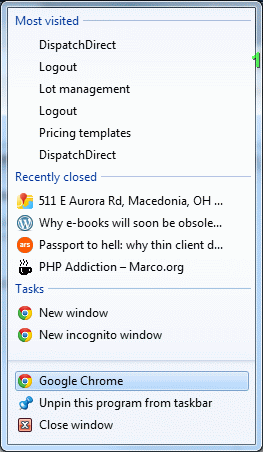
- Right-click the icon from which you run Google Chrome
- Right-click on Google Chrome as shown below:
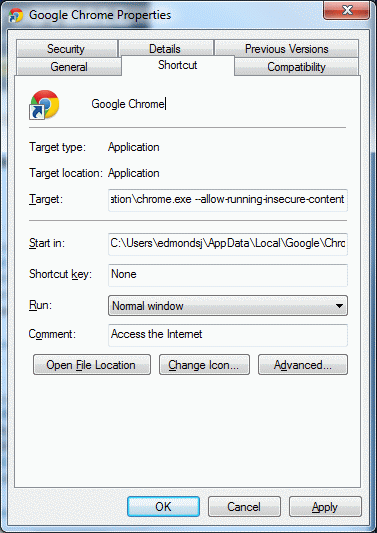
- Add the following text to the
Target::
–allow-running-insecure-content
Note the two dashes in front
Note that if your target is enclosed in double quotes, the text should be added at the end, outside the double quotes


support/browser_support/chrome_allow_insecure_content.1344263273.txt.gz · Last modified: 2012/08/06 10:27 by edmondsj
Page Tools
Except where otherwise noted, content on this wiki is licensed under the following license: CC Attribution-Noncommercial-Share Alike 4.0 International


